How to Use the /report Command with ScammerSlammer
The /report command allows users to submit reports about accounts suspected of scamming. Submissions are reviewed by the Phish Takedown moderation team to verify claims and maintain the integrity of the global ban database.
Using the /report Command: Step-by-Step
- Open any channel where ScammerSlammer is active and you have permission to use commands.
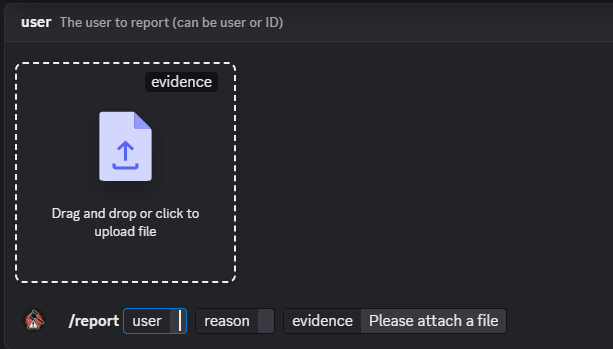
- Type the command:
/report @usernameor/report <user-id> - Add a short reason (e.g., "DMing me scams") and attach evidence (screenshots, message excerpts, links).
- Confirm and send the command. The bot will acknowledge receipt.
Still need help?
Open a support ticket