How do I add ScammerSlammer to my server?
ScammerSlammer is invite-only. You must request access first using our contact form because the bot handles sensitive data and has access to the globalban system.
To request access, complete this form and include your server invite plus a short description of how you plan to use the bot.
This guide assumes your server has already been granted access.
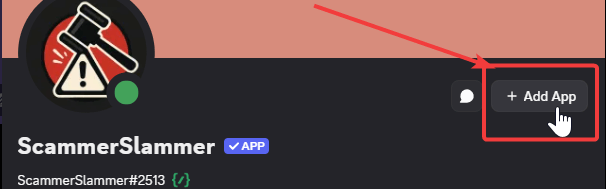
Invite the bot using this URL: https://discord.com/oauth2/authorize?client_id=1397557751307046952 or open the bot’s profile and click Add App.
Click Continue, select the server (guild) you want to add the bot to, then click Authorize.
As of 28/10/2025, the bot requires the following permissions:
- Manage Server - Required to detect when a built-in Discord AutoMod rule is triggered (needed if you use Discord’s AutoMod).
- Ban Members - Allows the bot to apply global bans across servers.
- View Channels - Lets the bot read messages so it can detect scam content.
- Moderate Members - Allows the bot to timeout members when necessary.
- Send Messages - Lets the bot post messages in monitored channels and your modlog.
- Manage Messages - Allows deletion of scam messages.
- Read Message History - Lets the bot read prior messages in a channel for context.
After granting permissions, click Authorize - the bot will then be added to your server.
Finally, configure the bot for your server. Follow our detailed Getting Started guide for setup and recommended settings.
Still need help?
Open a support ticket